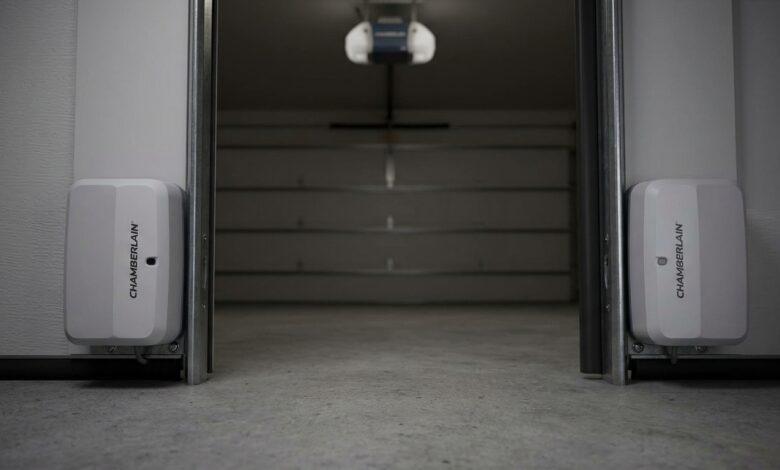
If your Chamberlain garage door sensors are not lighting up, the garage door opener may refuse to close or reverse unexpectedly. The safety sensors are an essential part of your garage door system, preventing the door from closing if an object, person, or pet is in its path.
When the sensor lights are off, it’s usually a sign of a power issue, wiring problem, misalignment, or a faulty component. Fortunately, many of these problems can be diagnosed and fixed without replacing the entire garage door opener.
This guide explains the most common causes, step-by-step troubleshooting methods, and when it’s time to call a professional.
How Chamberlain Garage Door Sensors Work
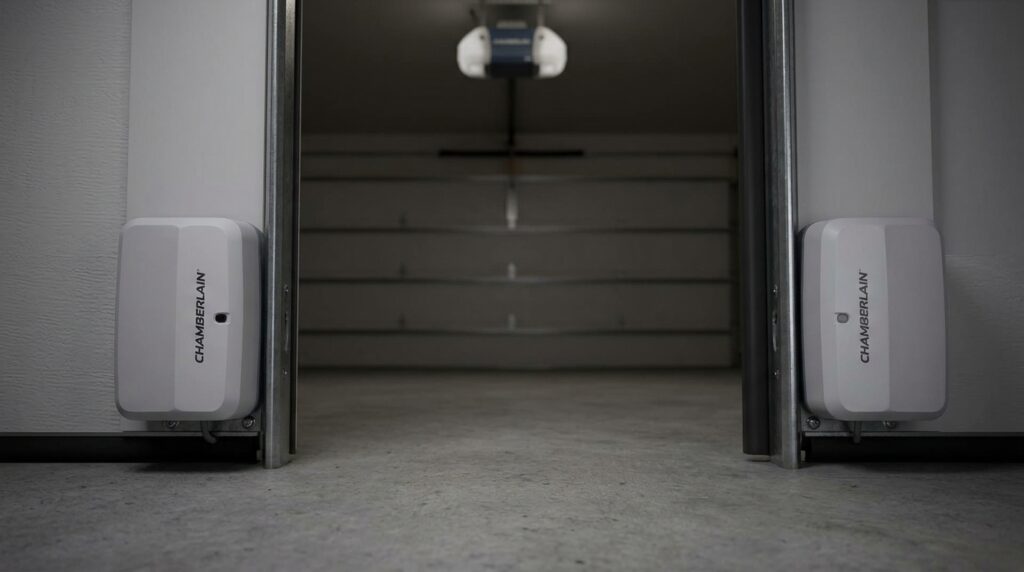
Chamberlain garage door openers use two photo-eye safety sensors installed near the bottom of the garage door tracks.
One sensor sends an invisible infrared beam.
The other sensor receives the beam.
When the beam is uninterrupted, the garage door can close normally. If something blocks the beam, the opener stops or reverses the door to prevent accidents.
Normally:
- One sensor displays a solid amber or yellow light (sending sensor).
- The other displays a solid green light (receiving sensor) when properly aligned.
If neither sensor lights up, there’s likely a power or wiring issue.
Why Are My Chamberlain Garage Door Sensors Not Lighting Up?
Several issues can prevent the sensors from receiving power or communicating correctly.
Common causes include:
- Loose wiring
- Broken sensor wires
- Misaligned sensors
- Dirty sensor lenses
- Faulty safety sensors
- Damaged garage door opener logic board
- Power supply problems
Let’s look at each one in detail.
1. Check the Garage Door Opener Power
Before inspecting the sensors, make sure the opener itself has power.
What to Check
- Is the opener plugged into the outlet?
- Has a circuit breaker tripped?
- Is the outlet working?
Plug another device into the same outlet to verify that power is available.
If the opener has no power, the sensors won’t light up.
2. Inspect the Sensor Wiring
One of the most common reasons the lights stay off is damaged or disconnected wiring.
Look for:
- Loose wire connections
- Cut wires
- Pinched wires
- Staples driven through the cable
- Corrosion at the terminals
Follow the wires from each sensor back to the garage door opener.
Reconnect any loose wires securely.
3. Check for Sensor Alignment
If only one sensor is lit or the receiving sensor light is blinking, alignment may be the problem.
How to Align the Sensors
- Loosen the mounting wing nut.
- Point both sensors directly at each other.
- Slowly adjust until the receiving sensor light becomes solid.
- Tighten the mounting hardware.
Even a slight bump can move the sensors out of alignment.
4. Clean the Sensor Lenses
Dust, spider webs, dirt, or moisture can interfere with the infrared beam.
Use:
- A soft microfiber cloth
- Glass cleaner sprayed onto the cloth (not directly onto the sensor)
Avoid abrasive cleaners that could scratch the lens.
5. Inspect for Physical Damage
Look closely at both sensors.
Check for:
- Cracked housings
- Water damage
- Broken brackets
- Loose mounting
- Burn marks
If a sensor has visible damage, replacement is usually the best solution.
6. Test the Wiring Connections
At the opener motor unit:
- Turn off power.
- Locate the sensor terminals.
- Ensure each wire is fully inserted.
- Tighten any loose terminal screws if applicable.
- Restore power.
A loose connection can prevent both sensors from receiving power.
7. Look for Damaged Wires Underground or Along the Wall
Sensor wires often run along garage walls and door tracks.
They can become damaged by:
- Rodents
- Lawn equipment
- Nails
- Moisture
- Age
If insulation is damaged, replace the affected wire rather than using temporary repairs whenever possible.
8. Check for Sunlight Interference
Direct sunlight usually doesn’t cause both sensor lights to turn off, but it can interfere with the receiving sensor.
If sunlight shines directly into the sensor:
- Install a small sun shield.
- Reposition the sensor slightly.
- Close the garage during testing.
9. Reset the Garage Door Opener
Sometimes the opener may benefit from a reset.
General steps:
- Unplug the opener.
- Wait about one minute.
- Plug it back in.
- Check whether the sensor lights return.
Refer to your owner’s manual for model-specific reset procedures.
10. Test the Sensors
If both sensors remain dark after checking power and wiring, one or both sensors may have failed.
Replacement sensor kits are available for many Chamberlain garage door opener models.
Always verify compatibility before purchasing.
Sensor Light Meanings
| Sensor Light | Possible Meaning |
|---|---|
| Both lights off | No power, wiring problem, or failed sensors |
| Amber on, green off | Sensors not aligned or receiving sensor issue |
| Amber on, green blinking | Beam blocked or misaligned |
| Both lights solid | System operating normally |
| Both blinking | Wiring or opener logic board issue (varies by model) |
Why Won’t the Garage Door Close?
If the sensors are not working properly, the opener may:
- Refuse to close
- Reverse immediately
- Blink the opener lights
- Close only while holding the wall button
These behaviors indicate that the safety system has detected a fault.
When to Replace the Sensors
Consider replacing the sensors if:
- They have visible physical damage.
- They remain unlit after confirming power and wiring.
- Cleaning and alignment don’t solve the issue.
- The sensors are several years old and have become unreliable.
Replacing both sensors as a matched pair is often recommended for consistent performance.
When to Call a Professional
Contact a garage door technician if:
- The opener has power but neither sensor lights up.
- Wiring inside the opener appears damaged.
- The opener’s logic board may have failed.
- You’ve replaced the sensors but the problem remains.
- You’re uncomfortable working with electrical components.
A technician can test the wiring, opener electronics, and sensors using specialized equipment.
Tips to Prevent Future Sensor Problems
- Clean the sensor lenses every few months.
- Keep storage items away from the sensors.
- Inspect wires for damage during routine maintenance.
- Check sensor alignment after accidental bumps.
- Protect exposed wiring from physical damage.
Regular maintenance can help prevent unexpected garage door issues.
Frequently Asked Questions
Why are both Chamberlain garage door sensor lights off?
If both sensor lights are off, the most common causes are a power interruption, damaged wiring, loose wire connections, failed sensors, or an issue with the garage door opener’s logic board.
Can I bypass the garage door safety sensors?
Most Chamberlain openers allow the door to close temporarily by holding the wall-mounted control button continuously, but this should only be used for troubleshooting. The safety sensors are an important protection feature and should not be permanently bypassed.
How do I know if my garage door sensor is bad?
A faulty sensor may have no indicator light, show physical damage, fail to align properly, or continue malfunctioning after you’ve confirmed power and wiring are in good condition.
Why is one sensor amber and the other off?
This often indicates that the sending sensor has power, while the receiving sensor is either misaligned, disconnected, or defective.
How much does it cost to replace Chamberlain garage door sensors?
Replacement costs vary depending on the model and whether you install them yourself or hire a technician. In many cases, compatible replacement sensor kits are relatively affordable compared to replacing the entire opener.
Final Thoughts
When Chamberlain garage door sensors are not lighting up, the issue is often caused by a loss of power, loose or damaged wiring, dirty sensor lenses, misalignment, or failed sensors. Start by confirming that the garage door opener has power, inspect the wiring, clean and align the sensors, and reset the opener if necessary.
If the lights remain off after these steps, replacing the sensors or having the opener inspected by a qualified garage door technician may be the most effective solution. Restoring the safety sensor system ensures your garage door operates reliably while continuing to protect people, pets, and property.